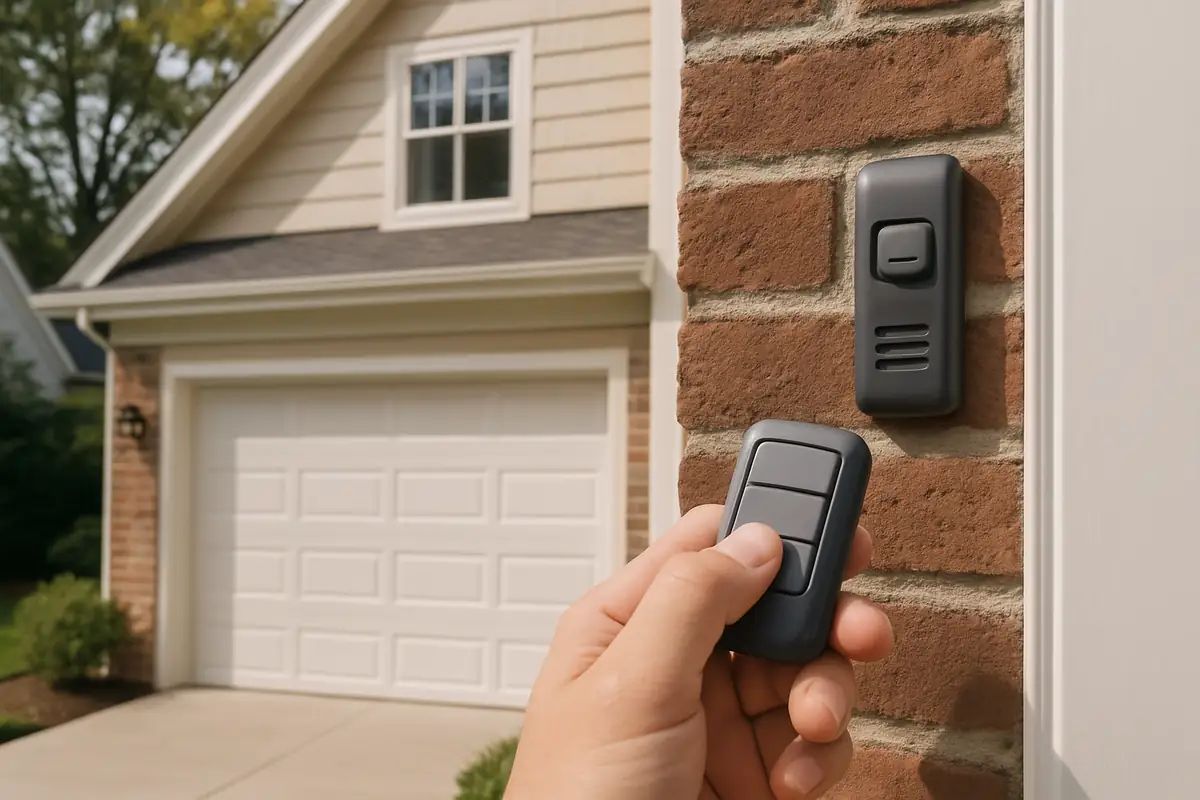
How to Program Your Garage Door Remote: A Complete Guide from A to Z Garage Door Repair in Woodburn, OR
Is your garage door remote acting up? Learn how to program it effectively with this step-by-step guide. A to Z Garage Door Repair in Woodburn, OR is here to help!
Mastering Your Garage Door Remote: A Step-by-Step Guide
Your garage door remote is a vital component of your home’s security and convenience. If you’re experiencing issues or simply need to program a new remote, this comprehensive guide from A to Z Garage Door Repair in Woodburn, OR, will walk you through the process in detail. Understanding how to program your remote not only saves you time but also enhances your home’s security.
Why You Might Need to Program Your Garage Door Remote
There are several scenarios where you might need to program your garage door remote:
- New Remote: You’ve purchased a replacement remote.
- Lost Remote: You need to add a new remote after losing the old one.
- Multiple Users: You want to allow family members access.
- Changing Security Codes: For enhanced security, you may want to change the code regularly.
Statistics to Consider
According to the National Association of Home Builders, over 80% of homeowners consider a garage door to be an essential component of their home’s security. Understanding your garage door system ensures that your home remains safe.
Types of Garage Door Remotes
Before diving into the programming process, it’s important to recognize the different types of garage door remotes:
- Fixed Code Remotes: These have a set frequency and code.
- Rolling Code Remotes: These change the code every time the remote is used, providing enhanced security.
- Smart Remotes: These can be integrated with smartphone apps for remote access anywhere.
Step-by-Step Guide to Programming Your Garage Door Remote
Here’s a detailed step-by-step guide to help you program your garage door remote, no matter the type:
Step 1: Locate the Learn Button
The first step is to locate the Learn button on your garage door opener unit. This is typically found on the back or side of the motor housing. It may be labeled as “Learn” or “Program.”
Step 2: Prepare Your Remote
Have your remote ready. Ensure it has fresh batteries to avoid any interruptions during programming.
Step 3: Press the Learn Button
Press and release the Learn button. An indicator light should illuminate, confirming that the unit is ready to learn a new remote.
Step 4: Press the Remote Button
Within 30 seconds of pressing the Learn button, press and hold the button on your remote that you wish to program. Hold it until you see the garage door opener's light blink or hear a click sound.
Step 5: Test the Remote
After the indicator light blinks, test the remote by pressing the button. If the garage door opens or closes, congratulations! You’ve successfully programmed your remote.
Troubleshooting Common Issues
Sometimes things don’t go as planned. Here are some common issues and solutions:
- Remote Not Working: Ensure the batteries are fresh and correctly inserted.
- Indicator Light Doesn’t Blink: Try again; you may need to press the Learn button longer.
- Multiple Remotes: If programming multiple remotes, repeat the process for each one.
Need Help? A to Z Garage Door Repair Has Your Back!
If you’ve followed these steps and still can’t program your garage door remote, or if you’re facing more complex issues, don’t hesitate to reach out to A to Z Garage Door Repair. Our experienced technicians in Woodburn, OR, are ready to assist you with any garage door-related services.
When to Seek Professional Help
While programming a remote is often straightforward, there are times when it’s best to consult a professional, such as:
- You’ve tried multiple remotes without success.
- Your garage door opener is malfunctioning or making strange noises.
- You require installation of a new garage door opener or system.
Conclusion: Keep Your Garage Door Secure and Accessible
Programming your garage door remote doesn’t need to be a daunting task. With this step-by-step guide, you’ll be able to manage your garage door access with ease. Remember, if you encounter any challenges or need further assistance, the experts at A to Z Garage Door Repair in Woodburn, OR, are just a call away. Keeping your home secure and accessible is our top priority!
Contact us today for all your garage door needs!
Explore More Resources
Related Articles
Service Areas
We proudly serve Woodburn, West Woodburn, Gervais, Hubbard, McKee and more areas.
Our Services
Professional garage door repair, spring repair, opener installation and more. View all services →